We value your privacy

We use cookies to enhance your browsing experience, serve personalized ads or content, and analyze our traffic. By clicking "Accept All", you consent to our use of cookies. Read our Privacy Policy for more information.

Technology

The Ultimate SaaS Toolkit: 15 Tools to 10x Your Productivity in 2026

Rahul Das
May 13, 2026
15 min read
The Ultimate SaaS Toolkit: 15 Tools to 10x Your Productivity in 2026
SaaSProductivity ToolsWorkflow AutomationBusiness SoftwareEfficiency
Share this article:
AI

AI Search & Quick Summary

Key Takeaway: Discover the 15 best SaaS tools to supercharge your productivity in 2026. From project management (Notion, Linear) to automation (Zapier, Make), document management, design, CRM, and AI assistants — the ultimate toolkit for modern professionals.

Optimized for AI Search Engines & Google AI Overviews.

Why Your Productivity Is Defined by Your Toolkit

Here is an uncomfortable truth about modern work: the average knowledge worker spends 60% of their time on "work about work" — searching for information, switching between tools, attending status update meetings, and manually moving data between applications. Only 40% of the workday is spent on the skilled, meaningful work you were actually hired to do.

The right combination of SaaS (Software as a Service) tools can dramatically shift this ratio. By automating repetitive tasks, centralizing information, streamlining communication, and eliminating manual data entry, a well-curated toolkit can effectively give you back 2-3 hours of productive time every single day.

But with over 30,000 SaaS products on the market in 2026, choosing the right tools is overwhelming. This guide cuts through the noise and presents the 15 essential SaaS tools across every critical work category — tools that have been battle-tested by millions of professionals and consistently deliver measurable productivity improvements. Whether you are a solo freelancer, a startup founder, or managing a growing team, this toolkit will transform how you work.

Project Management: Organize Everything in One Place

1. Notion — The All-in-One Workspace

Notion has evolved from a simple note-taking app into the most versatile workspace tool available. It combines documents, databases, kanban boards, calendars, wikis, and project trackers in a single, beautifully designed platform. In 2026, Notion's AI capabilities allow you to generate summaries, draft content, extract action items from meeting notes, and query your workspace using natural language.

Why it matters: Notion replaces 4-5 separate tools. Instead of using Google Docs for documents, Trello for project boards, Confluence for wikis, and Airtable for databases, Notion handles all of these in one interconnected workspace. This elimination of context-switching alone saves teams an estimated 45 minutes per day.

Best for: Knowledge bases, project documentation, personal productivity systems, content calendars, SOPs, team wikis.

Pricing: Free for personal use. Plus plan at $10/user/month. Business plan at $18/user/month.

2. Linear — The Developer-Loved Issue Tracker

Linear has become the gold standard for engineering teams and tech startups. It combines blazing-fast performance (the entire app feels instant) with thoughtful project management features — cycles (sprints), roadmaps, issue tracking, and Git integrations. Linear is opinionated about workflows, which means less time configuring and more time building.

Why it matters: Linear's keyboard-first design means power users can create, assign, and manage issues without touching the mouse. Its automatic cycle planning and progress tracking reduce the administrative overhead of sprint planning by up to 70%.

Best for: Software development teams, bug tracking, sprint planning, product roadmaps.

Pricing: Free for small teams. Standard plan at $8/user/month.

3. Asana — Enterprise-Grade Project Management

Asana offers the most comprehensive project management experience for larger teams. It supports multiple views (list, board, timeline, calendar, Gantt), advanced workflow automations, portfolio management for tracking multiple projects, and robust reporting. Asana excels when you need to manage complex, cross-functional projects with dependencies and milestones.

Why it matters: Asana's Workflow Builder allows non-technical users to create custom automations — automatically assigning tasks when projects move stages, sending notifications when deadlines approach, and routing approvals through the right stakeholders.

Best for: Marketing campaigns, product launches, cross-department projects, enterprise workflows.

Pricing: Free for up to 10 users. Premium at $10.99/user/month. Business at $24.99/user/month.

Communication: Reduce Meetings, Increase Clarity

4. Slack — The Hub for Team Communication

Slack remains the dominant real-time communication platform for professional teams. Organized channels replace chaotic email threads, direct messages handle quick one-on-ones, and Huddles provide instant audio/video conversations without the formality of scheduling a meeting. Slack's integration ecosystem connects with over 2,600 apps, making it the central nervous system of your workflow.

Why it matters: Slack's AI features in 2026 include channel summaries (catch up on what you missed without reading hundreds of messages), thread summaries, and intelligent search that understands context and intent. This alone saves heavy Slack users 30+ minutes per day.

Best for: Team communication, quick discussions, async updates, integration hub.

Pricing: Free tier available. Pro at $7.25/user/month. Business+ at $12.50/user/month.

5. Microsoft Teams — The Enterprise Communication Suite

For organizations already embedded in the Microsoft ecosystem (Microsoft 365, Outlook, SharePoint, OneDrive), Teams provides the most seamless communication experience. Video meetings, chat, file sharing, and collaborative document editing all happen within the same platform. Teams' deep integration with Word, Excel, and PowerPoint means you can co-edit documents directly within a chat or channel.

Why it matters: Teams eliminates the friction of switching between communication and productivity tools. For organizations using Microsoft 365, it is included at no additional cost — making it the most cost-effective option for enterprise communication.

Best for: Enterprise organizations, Microsoft 365 users, large-scale video meetings, compliance-heavy industries.

Pricing: Included with Microsoft 365 subscriptions. Standalone plans from $4/user/month.

Document Management: Tame the Chaos

6. QuickRectify PDF Tools — The Complete Document Toolkit

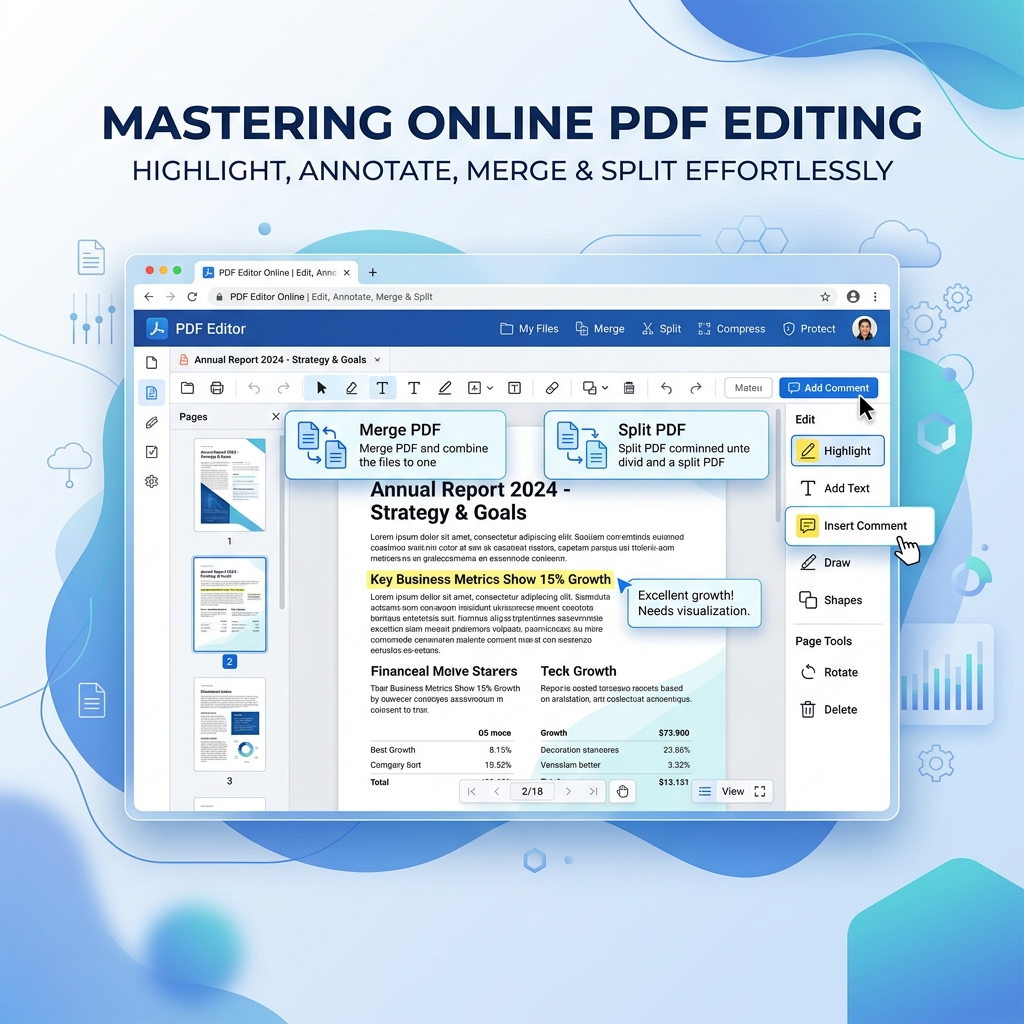
Document management remains one of the biggest productivity drains in modern work. Searching for files, converting between formats, compressing oversized attachments, and protecting sensitive documents consume hours of time every week. QuickRectify's PDF tools provide a comprehensive, browser-based solution for all document management tasks — completely free and with no watermarks.

Key capabilities include:

  • PDF conversion: Convert between PDF and Word, Excel, PowerPoint, and image formats while preserving formatting perfectly.
  • Merge and split: Combine multiple documents into one or extract specific pages from large files.
  • Compress: Reduce file sizes by up to 80% without visible quality loss — essential for email attachments and portal uploads.
  • Protect and sign: Add password protection to sensitive documents and apply electronic signatures.
  • Edit and annotate: Add text, highlight, and annotate PDFs directly in your browser.

Why it matters: Unlike subscription-based alternatives like Adobe Acrobat ($23/month) or Smallpdf ($12/month), QuickRectify processes all documents locally in your browser — meaning your files never leave your device. This is crucial for businesses handling confidential contracts, financial reports, or client data. The privacy-first approach combined with zero cost makes it the ideal document management solution for security-conscious professionals.

Best for: Document conversion, PDF management, contract handling, report preparation, secure document sharing.

Pricing: 100% free. No subscriptions, no watermarks, no file size limits.

7. Google Drive — Cloud Storage and Collaboration

Google Drive provides 15GB of free cloud storage with seamless integration into Google Workspace (Docs, Sheets, Slides). Real-time collaboration — multiple people editing the same document simultaneously — remains one of Google Drive's strongest features. In 2026, Google's Gemini AI is deeply integrated, offering document summaries, smart suggestions, and AI-powered search across your entire Drive.

Why it matters: The combination of generous free storage, real-time collaboration, and universal accessibility (works on any device with a browser) makes Google Drive the default choice for document storage and team collaboration.

Best for: Cloud storage, document collaboration, team file sharing, integration with Google Workspace.

Pricing: 15GB free. Google One plans from $1.99/month for 100GB.

Design: Create Professional Visuals Without a Designer

8. Figma — The Industry Standard for Design

Figma has become the undisputed standard for UI/UX design, prototyping, and design systems. Its browser-based, real-time collaborative approach means designers, developers, and stakeholders can all work in the same file simultaneously. In 2026, Figma's AI features can generate UI layouts from text descriptions, auto-create design variations, and translate designs directly into production-ready code.

Why it matters: Figma's Dev Mode bridges the gap between design and development. Developers can inspect designs, copy CSS, export assets, and understand spacing and typography without asking designers for specifications. This eliminates one of the biggest sources of friction in product development.

Best for: UI/UX design, prototyping, design systems, developer handoff, collaborative design.

Pricing: Free for up to 3 projects. Professional at $15/editor/month.

9. Canva — Design for Everyone

Canva democratizes graphic design the way no-code platforms democratize software development. With thousands of professional templates for social media posts, presentations, infographics, posters, and marketing materials, anyone can create polished visual content in minutes — no design training required.

Why it matters: Canva's Brand Kit feature ensures that every piece of content your team creates uses the correct logo, colors, and fonts — maintaining brand consistency even when non-designers are creating content. The platform's AI features generate images, remove backgrounds, and resize designs for different platforms automatically.

Best for: Social media graphics, presentations, marketing materials, infographics, brand-consistent content.

Pricing: Free tier with extensive capabilities. Pro at $13/month. Teams at $10/user/month.

Automation: Eliminate Repetitive Work

10. Zapier — Connect Everything

Zapier is the duct tape of the SaaS world — it connects over 7,000 applications and automates workflows between them without any coding. When an event happens in one app (trigger), Zapier automatically performs actions in one or more other apps. The possibilities are virtually unlimited.

Example automations:

  • New form submission → add to CRM → send welcome email → create task for sales team
  • New blog post published → share on social media → notify team in Slack
  • Invoice paid in Stripe → update spreadsheet → send thank-you email
  • New file uploaded to Google Drive → convert to PDF → send to client

Why it matters: Zapier eliminates the manual data transfer between applications that consumes an estimated 4-6 hours per week for the average knowledge worker. Even basic automations — like auto-saving email attachments to cloud storage or syncing contacts between platforms — compound into massive time savings over weeks and months.

Best for: Cross-app automation, lead processing, data synchronization, notification workflows.

Pricing: Free for 100 tasks/month. Starter at $19.99/month. Professional at $49/month.

11. Make (formerly Integromat) — Visual Automation Power

Make takes automation further than Zapier with a visual flowchart interface that supports complex branching logic, error handling, data transformation, and iterative processing. While Zapier excels at simple linear automations, Make handles scenarios where you need conditional logic, data filtering, and multi-branch workflows.

Why it matters: Make processes data in real-time with lower latency than Zapier and offers more granular control over data transformation. For businesses running complex automated workflows — like processing orders, managing inventory, or orchestrating multi-step marketing campaigns — Make provides the power and flexibility that Zapier cannot match.

Best for: Complex automation workflows, data transformation, API orchestration, batch processing, conditional logic.

Pricing: Free for 1,000 operations/month. Core at $9/month. Pro at $16/month.

Time Tracking: Know Where Your Hours Go

12. Toggl Track — Simple, Honest Time Tracking

Toggl Track makes time tracking effortless with one-click timers, automatic tracking suggestions, and detailed reports that show exactly where your time goes. Unlike complex enterprise time-tracking tools, Toggl is designed to be so simple that you actually use it consistently — which is the only way time tracking provides value.

Why it matters: Most professionals dramatically overestimate how much time they spend on productive work and underestimate time spent on meetings, email, and context-switching. Toggl provides an honest, data-driven view of your workday. Teams that implement time tracking typically discover 15-25% of their work time is spent on low-value activities that can be automated, delegated, or eliminated.

Best for: Freelancer billing, team productivity analysis, project time estimation, identifying time-wasting patterns.

Pricing: Free for up to 5 users. Starter at $9/user/month.

CRM: Manage Customer Relationships at Scale

13. HubSpot — The All-in-One Growth Platform

HubSpot offers a comprehensive CRM platform with sales, marketing, customer service, and content management tools — all built on a powerful free CRM foundation. The free tier alone includes contact management, deal tracking, email templates, meeting scheduling, and basic reporting — making it one of the most generous free offerings in SaaS.

Why it matters: HubSpot's strength is integration between sales, marketing, and service functions. When a lead fills out a form on your website, they are automatically added to the CRM, enrolled in relevant email sequences, and assigned to a sales rep — all without manual data entry. This automated pipeline management can increase conversion rates by 30-50% compared to manual processes.

Best for: Small to mid-size businesses, inbound marketing, sales pipeline management, customer service, email marketing.

Pricing: Free CRM with robust features. Starter plans from $20/month. Professional from $890/month.

Email Marketing: Build and Nurture Your Audience

14. Mailchimp — Email Marketing Made Accessible

Mailchimp remains the most popular email marketing platform for small businesses and creators. It offers drag-and-drop email builders, automation workflows (welcome series, abandoned cart emails, re-engagement campaigns), audience segmentation, A/B testing, and detailed analytics. In 2026, Mailchimp's AI generates email copy, predicts optimal send times, and recommends audience segments for maximum engagement.

Why it matters: Email consistently delivers the highest ROI of any marketing channel — approximately $36 for every $1 spent. A well-executed email marketing strategy with automated nurture sequences, personalized content, and strategic segmentation can drive significant revenue growth without increasing advertising spend.

Best for: Newsletter campaigns, automated email sequences, audience segmentation, ecommerce email marketing, landing pages.

Pricing: Free for up to 500 contacts. Essentials from $13/month. Standard from $20/month.

AI Assistants: Your Digital Co-Pilot

15. AI Productivity Assistants (ChatGPT, Claude, Gemini)

AI assistants have become indispensable productivity tools in 2026. They draft emails, summarize documents, generate code, brainstorm ideas, analyze data, create content outlines, and answer complex questions — all in seconds. The key is learning how to prompt them effectively and integrating them into your existing workflows rather than using them as standalone novelties.

High-impact use cases:

  • Email drafting: Paste the key points you want to communicate and get a polished professional email in seconds.
  • Document summarization: Drop a 20-page report and get a concise summary with key takeaways.
  • Data analysis: Upload a CSV and ask questions about trends, outliers, and patterns in natural language.
  • Content creation: Generate first drafts of blog posts, social media captions, product descriptions, and marketing copy.
  • Code generation: Describe what you need in plain English and get working code with explanations.
  • Meeting preparation: Summarize background materials and generate discussion questions before important meetings.

Why it matters: Professionals who effectively use AI assistants report saving 5-10 hours per week on routine cognitive tasks. The key is treating AI as a first-draft generator and skilled assistant rather than a replacement for critical thinking. AI handles the 80% that is routine so you can focus your energy on the 20% that requires human judgment, creativity, and relationship-building.

Best for: Writing assistance, research, brainstorming, code generation, data analysis, content creation.

Pricing: Free tiers available. Premium subscriptions typically $20-25/month for advanced features.

Building Your Optimal Stack: Recommended Combinations

For Solo Freelancers

Notion (project management + knowledge base) + Google Drive (file storage) + QuickRectify (document management) + Toggl (time tracking) + Mailchimp free tier (client newsletters) + AI assistant. Total cost: $0-20/month.

For Startups (5-15 People)

Linear or Notion (project management) + Slack (communication) + Figma (design) + Google Drive + QuickRectify (documents) + Zapier (automation) + HubSpot free CRM. Total cost: $15-50/user/month.

For Growing Teams (15-50 People)

Asana (project management) + Slack or Teams (communication) + Figma (design) + Canva (marketing graphics) + QuickRectify + Google Drive (documents) + Make (automation) + HubSpot (CRM) + Mailchimp (email marketing). Total cost: $30-80/user/month.

Frequently Asked Questions

How do I avoid SaaS subscription bloat?

SaaS bloat — paying for tools you do not fully use — is a real problem. The average company wastes 25-30% of their SaaS spending on underutilized subscriptions. Combat this by auditing your tools quarterly: check usage data, cancel tools with low adoption, and consolidate overlapping functionality. Choose multi-functional tools like Notion (which replaces 4-5 single-purpose apps) over specialized tools wherever possible. Before adding any new tool, ask: "Can an existing tool in our stack handle this?"

What is the most important SaaS tool to start with?

Start with a project management and note-taking tool like Notion. It provides the organizational foundation that makes every other tool more effective. Without a central system for tracking tasks, storing knowledge, and managing projects, adding more tools just creates more places to lose information. Get your organizational system right first, then layer on communication, automation, and specialized tools as needed.

Are free SaaS tools good enough for a real business?

For many use cases, absolutely. The free tiers of Notion, Slack, HubSpot CRM, Google Drive, QuickRectify, Canva, Toggl, and Mailchimp are genuinely capable and can support a business with up to 5-10 team members. The limitations of free tiers are typically around storage limits, user counts, or advanced features like automations and analytics. Start free, and upgrade only when you hit a specific limitation that is costing you time or revenue.

How do I get my team to actually adopt new tools?

Tool adoption fails when you introduce too many tools at once or do not provide adequate training. Introduce one new tool at a time. Choose a tool champion on the team who learns it deeply and helps others. Create simple SOPs (Standard Operating Procedures) documenting how the team should use it. Lead by example — if leadership does not use the tool consistently, no one else will either. Give the team 2-4 weeks to adjust before evaluating adoption. And most importantly, clearly communicate the "why" — what pain point this tool solves and how it makes their specific work easier.

Should I choose best-of-breed tools or all-in-one platforms?

This depends on your team size and complexity. Small teams (under 15 people) benefit from all-in-one platforms like Notion and HubSpot that reduce the number of tools to manage and integrate. Larger teams (15+ people) often need best-of-breed tools for specialized functions — Linear for engineering, Figma for design, Mailchimp for marketing — connected together through automation tools like Zapier or Make. The key is minimizing the total number of tools while ensuring each critical function is well-served.

Conclusion

Productivity in 2026 is not about working harder or longer hours — it is about building the right system of tools that amplify your capabilities, automate the routine, and free you to focus on work that actually matters. The 15 tools in this guide represent the most impactful, proven solutions across every critical work category.

Start with the fundamentals: a project management tool to organize your work, a communication platform to collaborate with your team, and a document management solution like QuickRectify PDF tools to handle the documents that flow through every business process. Then progressively add automation, design, CRM, and analytics tools as your needs grow. The goal is not to use the most tools — it is to use the right tools so well that they become invisible, letting you do your best work with less friction, less wasted time, and less mental overhead.

Rahul Das

About the Author: Rahul Das

Tech Enthusiast, Software Developer, and Content Creator. Passionate about building scalable web applications and sharing practical knowledge to help students and professionals grow in their tech careers.

Published: May 13, 2026

Enjoyed this article?

Subscribe to our newsletter for more insights, tutorials, and industry updates delivered directly to your inbox.